Tax Processing
The Processing tab in Tax Reporting consists of three areas; Tax File, Reports and Print.
TAX FILE
The Tax File functionality consists of Clearing previously output data, Output data for tax records, and Create Tax file that is delivered to the IRS or third-party print vendor.
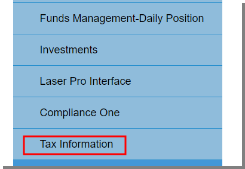
From the main user menu, select Tax Information.
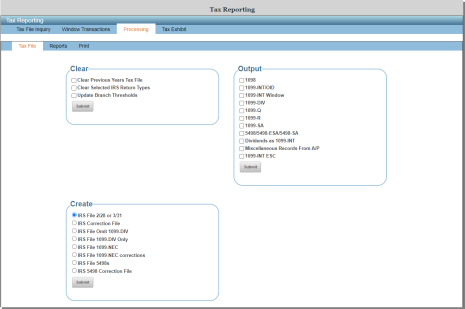
Select the Processing tab.
Select the Tax File tab.
Clear
The clear options allow the user to clear tax records by certain types as well as updating branch thresholds for certain form types.
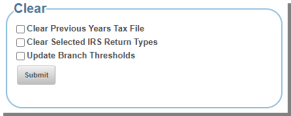
| Clear Previous Years Tax File | Allows the user to clear all tax records from the previous year. |
| Clear Selected IRS Return Types |
Allows the user to clear selected return types by selecting the form to be cleared. An example of this would be if the user had output 1098 records and realized a change should be made prior to output. This option allows the user to clear ONLY those tax records. This option moves the current data into prior year information and clears the files for the current year to be processed. |
|
Update Branch Thresholds |
Allows the user to update thresholds at the branch level. |
Output
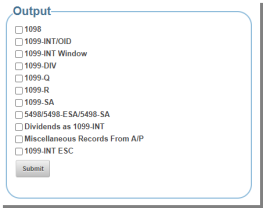
Select the forms needed for printing and reporting.
Select Submit.
Create
The create option allows the user to build/create the file that is presented to the IRS for processing or also a third-party print vendor.
IRS File 2/28 or 3/31 – allows the user to build the IRS file needed for processing the 1098/1099 records. This option can also be taken in January if using a third-party print vendor.
IRS Correction File – allows the user to build the IRS Correction file including records that have been added or edited after the 1098/1099 file has been submitted.
IRS File Omit 1099 DIV – allows the user to create a file that contains all 1099 & 1098 tax records other than the 1099-DIV.
IRS File 1099 DIV Only – allows the user to create a file that contains only 1099 DIV tax records.
IRS File 1099 NEC with Box 7 > 0 – allows the user to build the IRS file for all 1099 NEC forms that have Box 7 entries.
IRS File 1099 NEC corrections with Box 7 > 0 – allows the user to build the IRS correction file for all 1099 NEC forms that have box 7 entries.
IRS File 5498s – allows the user to build the IRS file for 5498, 5498 ESA and 5498 SA tax records.
IRS 5498 Correction File – allows the user to build the IRS Correction file including records that have been added or edited after the 5498 file has been submitted.
REPORTS
The reports tab details the Tax Reports that can be printed once tax records have been output.
List by TIN – allows the user to print each form type in TIN (Tax Identification Number) order.
Corrected Returns – allows the user to print a report for corrected returns by form types.
Balancing – allows the user to print reports for balancing prior to printing tax documents.
Miscellaneous – allows the user to print other reports such as Federal/State/Local Withholding, Closed CIS report, or Closed deposit report.
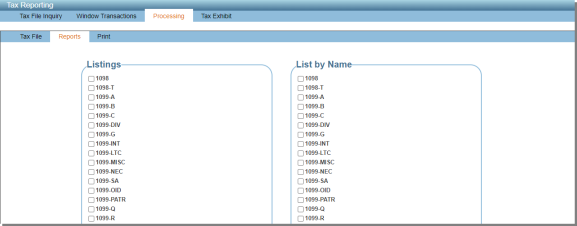
The print option allows the user to print the year-end tax forms once all entries, edits and reviews have occurred.
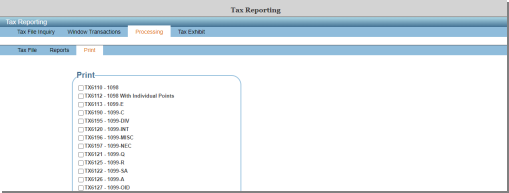
To print a tax form, select the form for print.
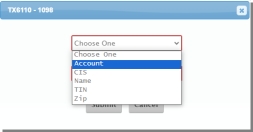
The user will then be directed to make two selections:
The first selection will be the order in which the forms will print.
Account – the forms will be printed in account number order.
CIS – the forms will be printed in CIS Key order.
Name – the forms will be printed in name order.
TIN – the forms will be printed in TIN order.
ZIP – the forms will be printed in zip order.
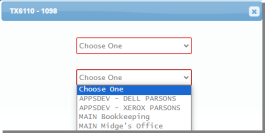
The second selection will be the printer the user would like to send the tax notices to.